Free during beta
Prove every unit turn, room by room.
OpenTurn is turn management for cleaning companies. Schedule the job, photograph the unit, review the charges, and send an invoice your property manager can check for themselves.
Phone app for the crew. Web app for the office. Free portal for property managers.
7
default rooms with checklists, ready on day one
2
photos for every item, one before and one after
$0
what a property manager pays, on any plan
The problem
An upcharge with no photo is just an argument.
- 01The cleaner says the oven was filthy.
- 02The property manager says it looked fine.
- 03Nobody has a picture, so you eat the cost or lose the client.
OpenTurn flips the order. Photo first. Claim second.
For the crew
Photograph first. Clean second.
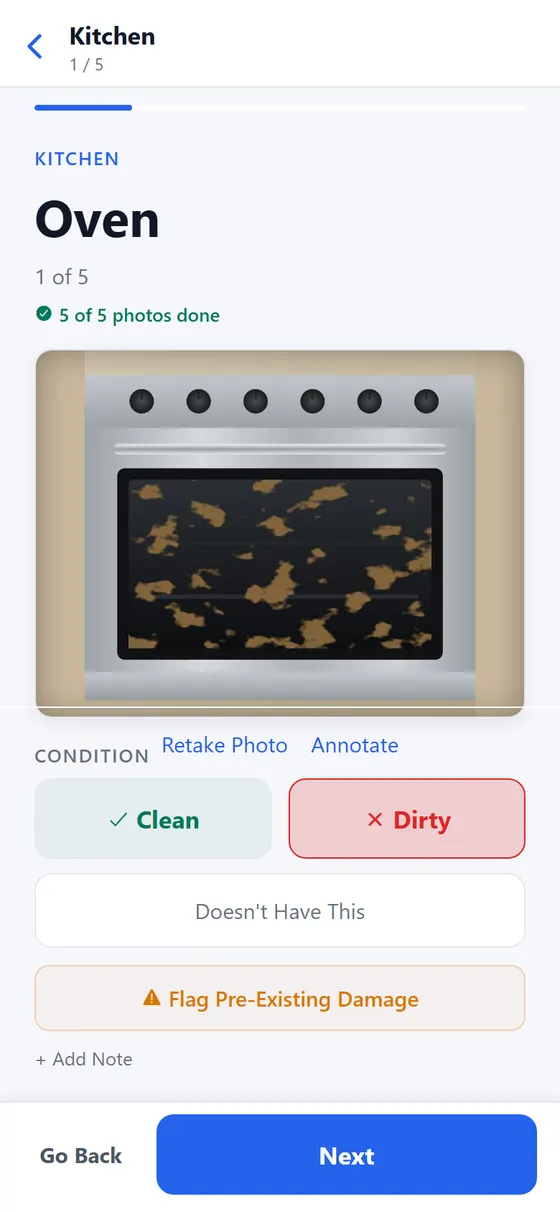
Your crew walks the unit room by room and takes a photo of every item before touching it. Clean, dirty, or not there. A dirty item cannot turn into an upcharge claim until the photo exists.
- One item per screen, with big buttons.
- Room lists come from your own checklist.
- Photos upload as they are taken, not at the end.
For the office
See both photos. Decide in seconds.
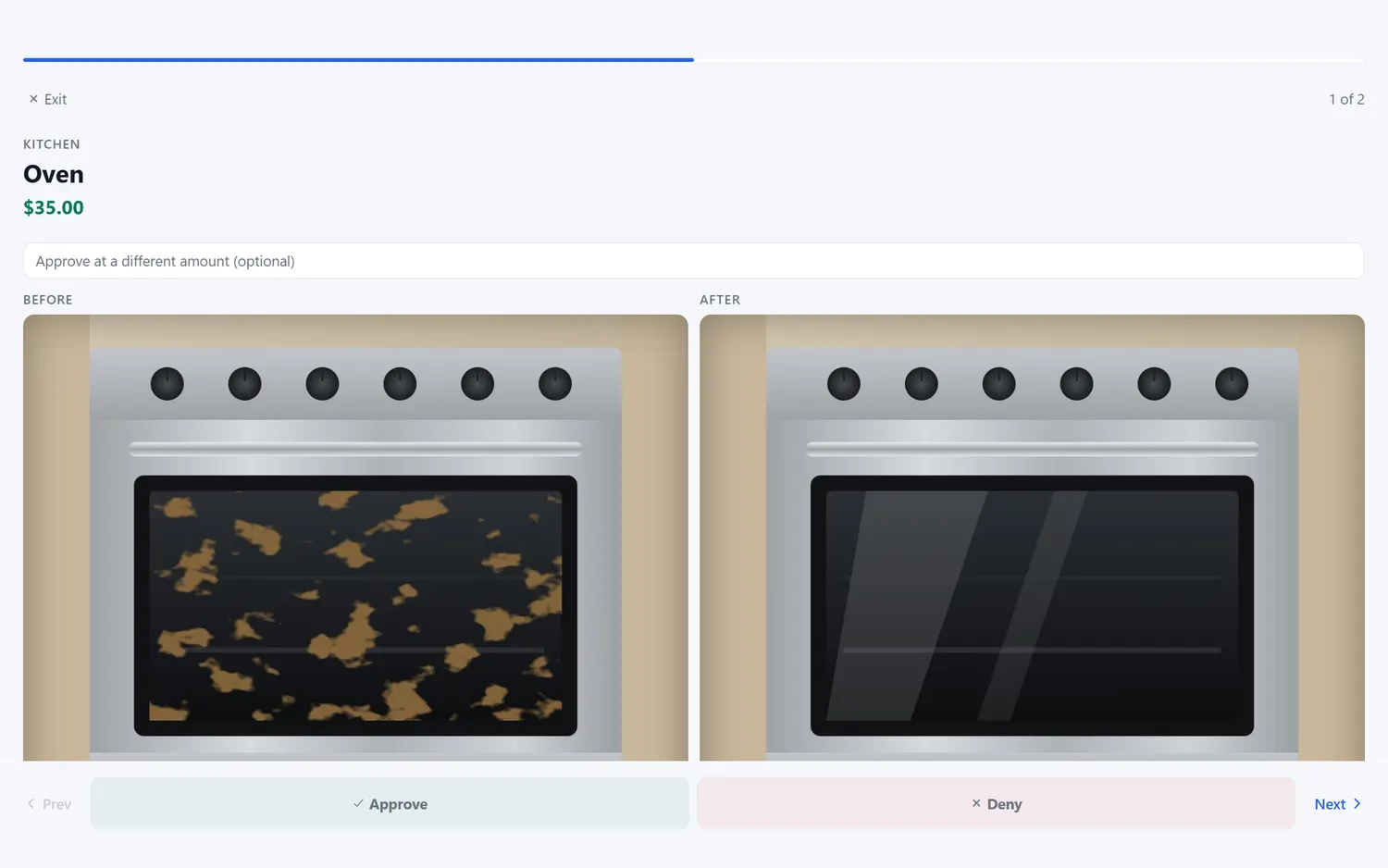
Every claim lands in a review queue with the before and after side by side. Approve it, approve a different amount, or deny it with a note. Nobody has to call anybody.
- Change the amount before you approve.
- Every decision keeps who made it and when.
- Reviewed work becomes an invoice.
Sample data
For the property manager
An invoice you can approve in a minute.
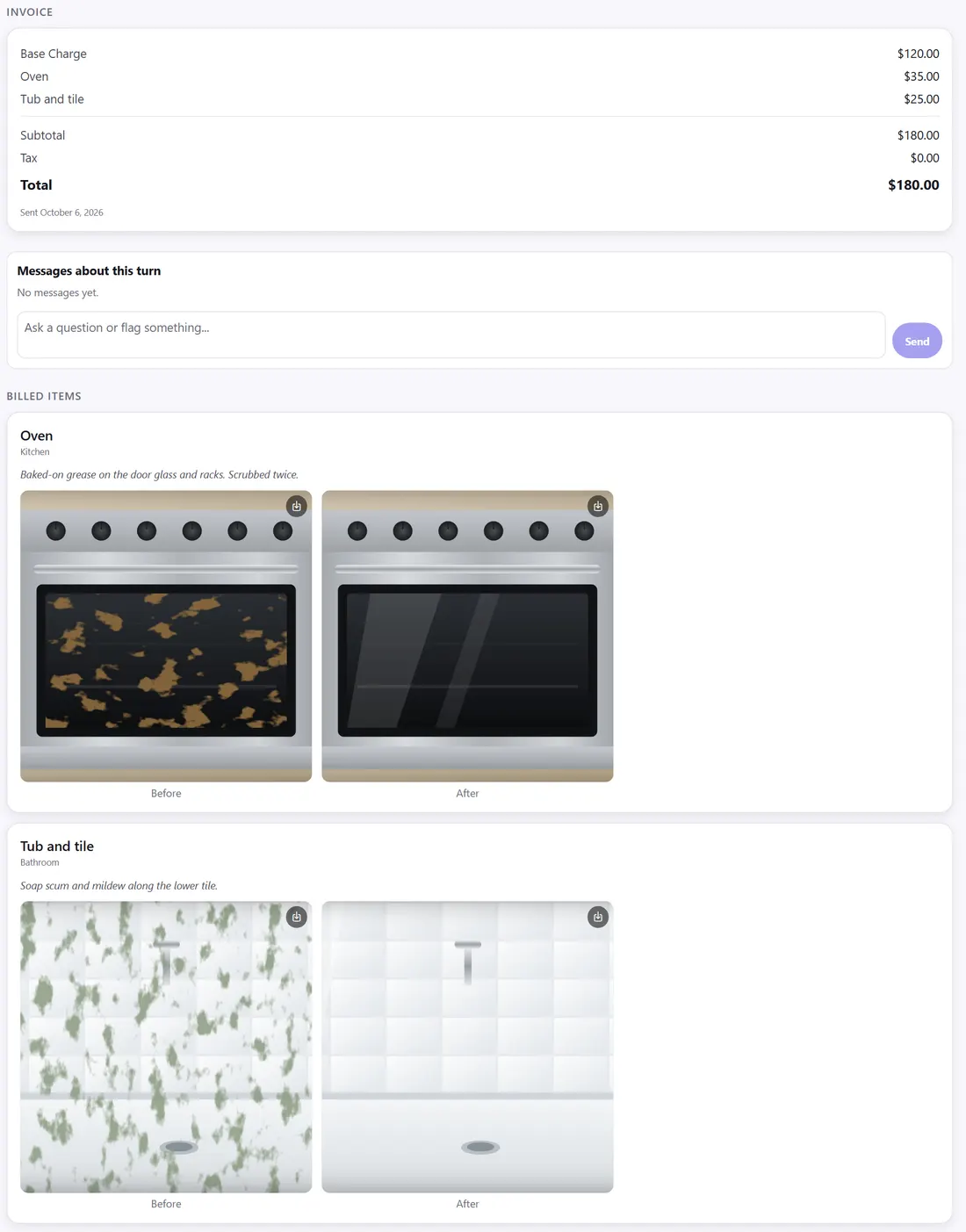
The invoice lists the base turn and each extra charge. Below it, every extra charge shows its before and after photos and the cleaner's note, so you can see why it was billed without calling anyone.
- Photo proof on every upcharge.
- The full room by room report is on the same page.
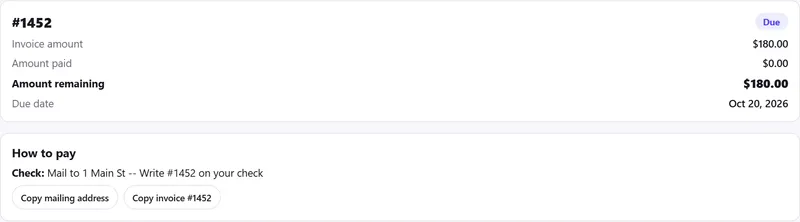
- Pay from the invoice, the way your cleaning company set up.
Employees and subcontractors
One app for W-2 staff and 1099 crews.
Assign a job to an employee or send an offer to a sub. Both do the turn the same way, with the same photos, and both can see what they are paid for it.
- Offers go out and answers come back in the app.
- Pay shows on the job, not in a text thread.
- Your sub's photos count the same as your staff's.
Everything a turn needs
The whole job, start to invoice.
Scheduling that matches how work moves
Every turn has one status, and everyone sees it. No group text to scroll through.
- Scheduled
- In progress
- Needs review
- Reviewed
- Invoiced
Room checklists
Seven rooms to start. Edit items and prices to fit your company.
- Kitchen
- Bathroom
- Bedroom
- Living Room
- Laundry
- Patio/Balcony
- Garage
Review queue
Claims wait for a person. Approve, change the amount, or deny.
Invoices
A reviewed turn becomes an invoice. It can sync to QuickBooks.
Crews and subs
Assign staff, or send a job offer to a subcontractor.
Hours and pay
Cleaners can clock in and out on the job. Pay is tied to the turn, and you can export hours for payroll.
Messages on the turn
A property manager can ask a question right on the turn report. The answer stays with the photos.
How a turn works
Five steps. Every one leaves a photo.
- 1
Schedule the turn
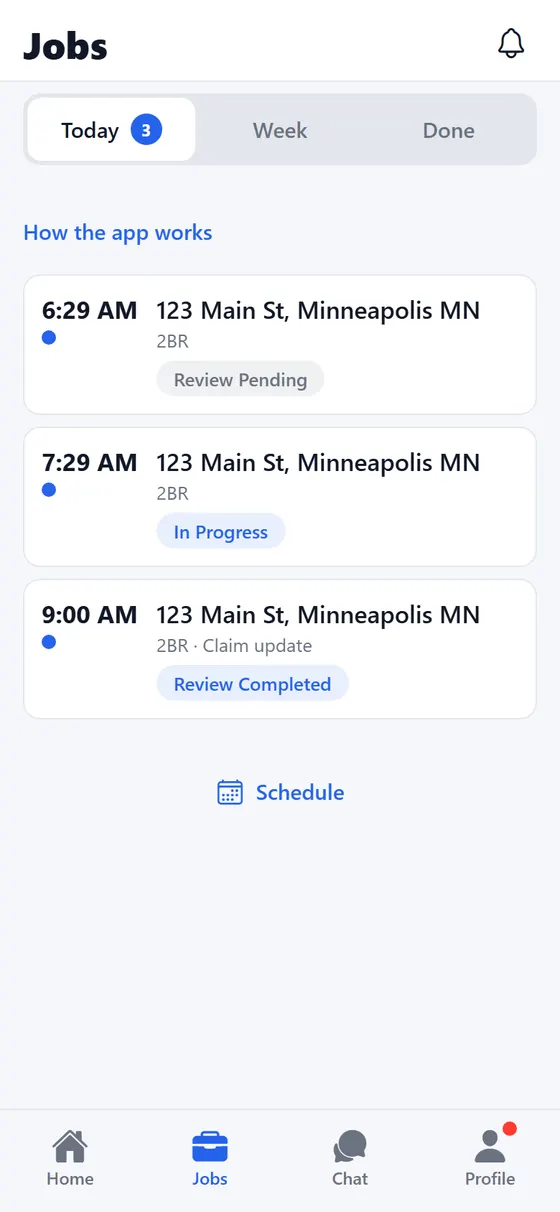
Pick the property and the person. Employees get the job on their phone. Subcontractors get an offer they can accept. Everyone sees the same list for the day.
- 2
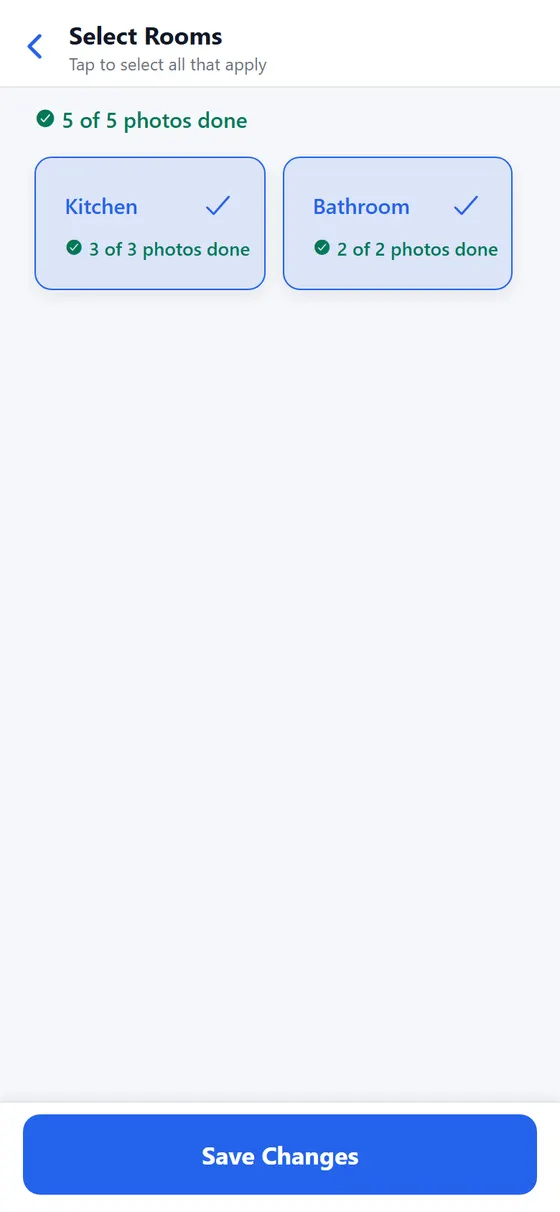
Choose the rooms
The crew taps the rooms that apply to this unit. Each room brings its own checklist, so nobody has to remember what to look at.
- 3
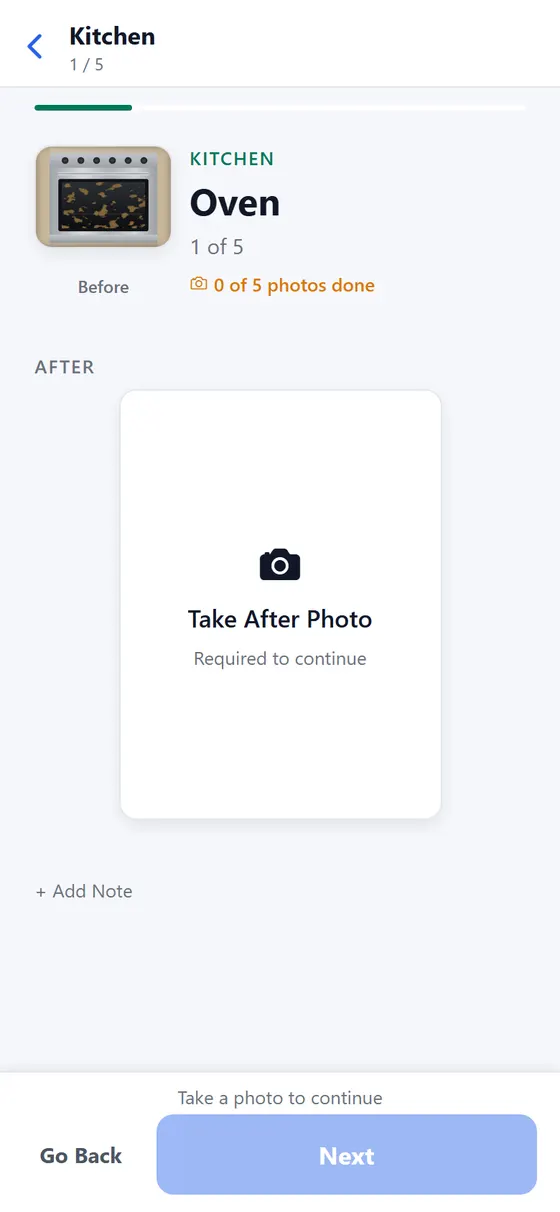
Photograph every item
One item per screen. Take the photo, then mark it clean, dirty, or not there. A dirty item cannot become a claim until the photo exists.
- 4
Clean it, then shoot the after
When the work is done, the app walks the crew back through every clean and dirty item for a second photo. Now there is a before and an after for each one.
- 5
Hand it off for review
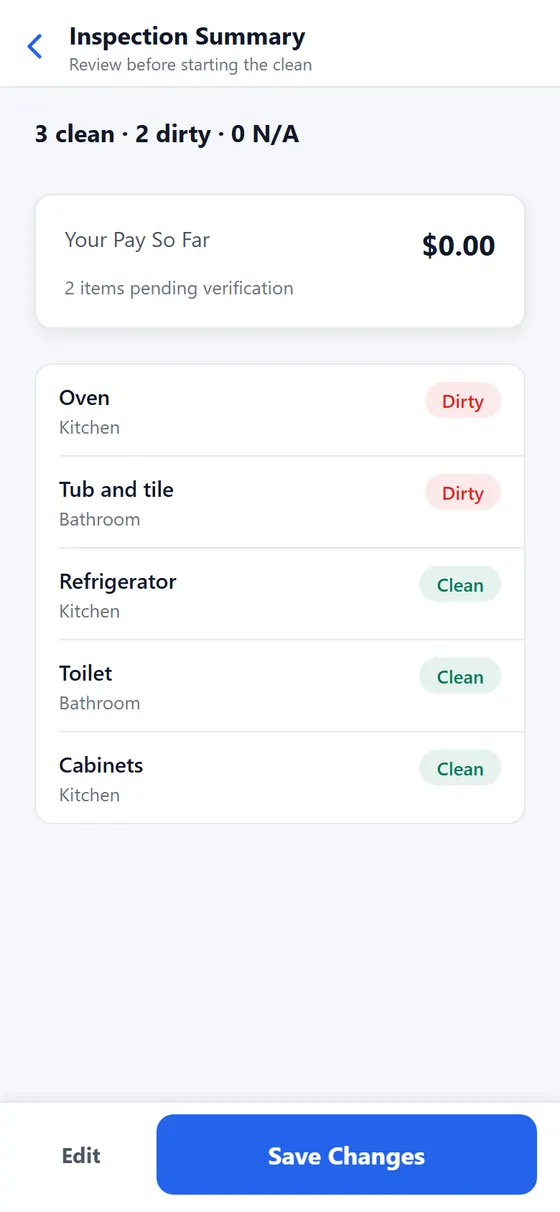
The crew sees a summary of what was found. Dirty items go to a review queue with their photos attached. The manager approves, and the invoice follows.
Proof
The same oven, before and after.
Photos are taken inside the app and tied to the item, the room, and the time. Anyone who reviews the work sees both photos together. Drag the line to see how it reads.
- Each photo is tied to an item, a room, and a time.
- Crew can annotate a photo to point at the problem.
- Photos are stored privately and shared through links that expire.
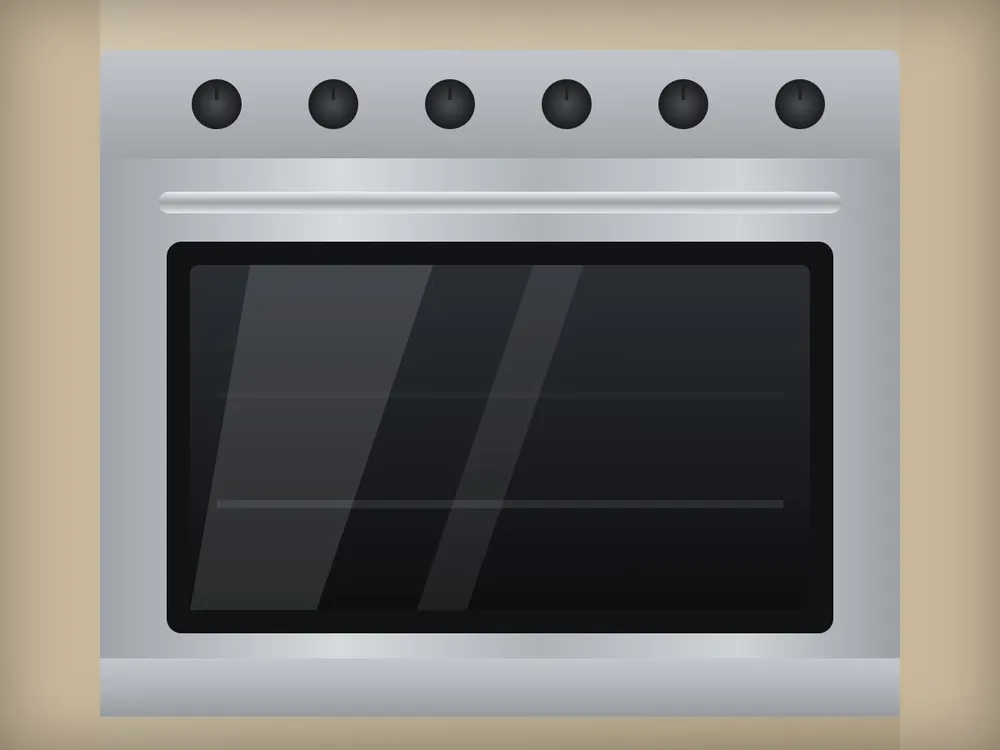
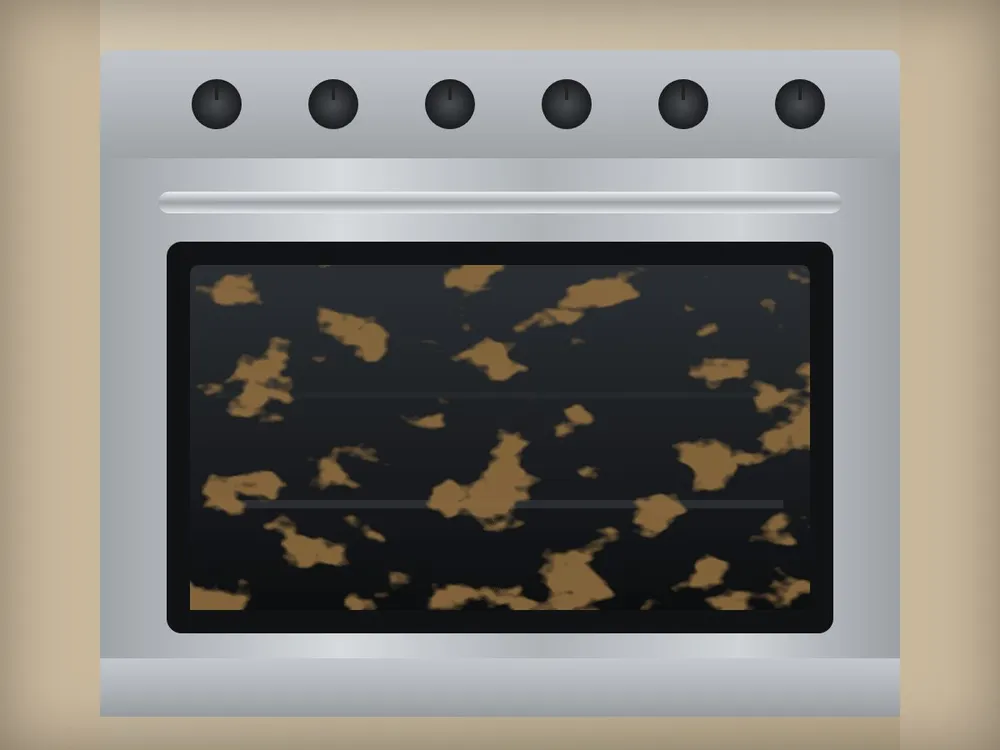
Sample photos, not a customer job.
The free portal
Every property manager gets a free portal.
The property managers you work with can see where each turn stands, look back at past turns, and ask for a new one. It costs them nothing.
- A status on every turn, from scheduled to done.
- History and a monthly view for each property.
- Turn requests and messages on the turn itself.
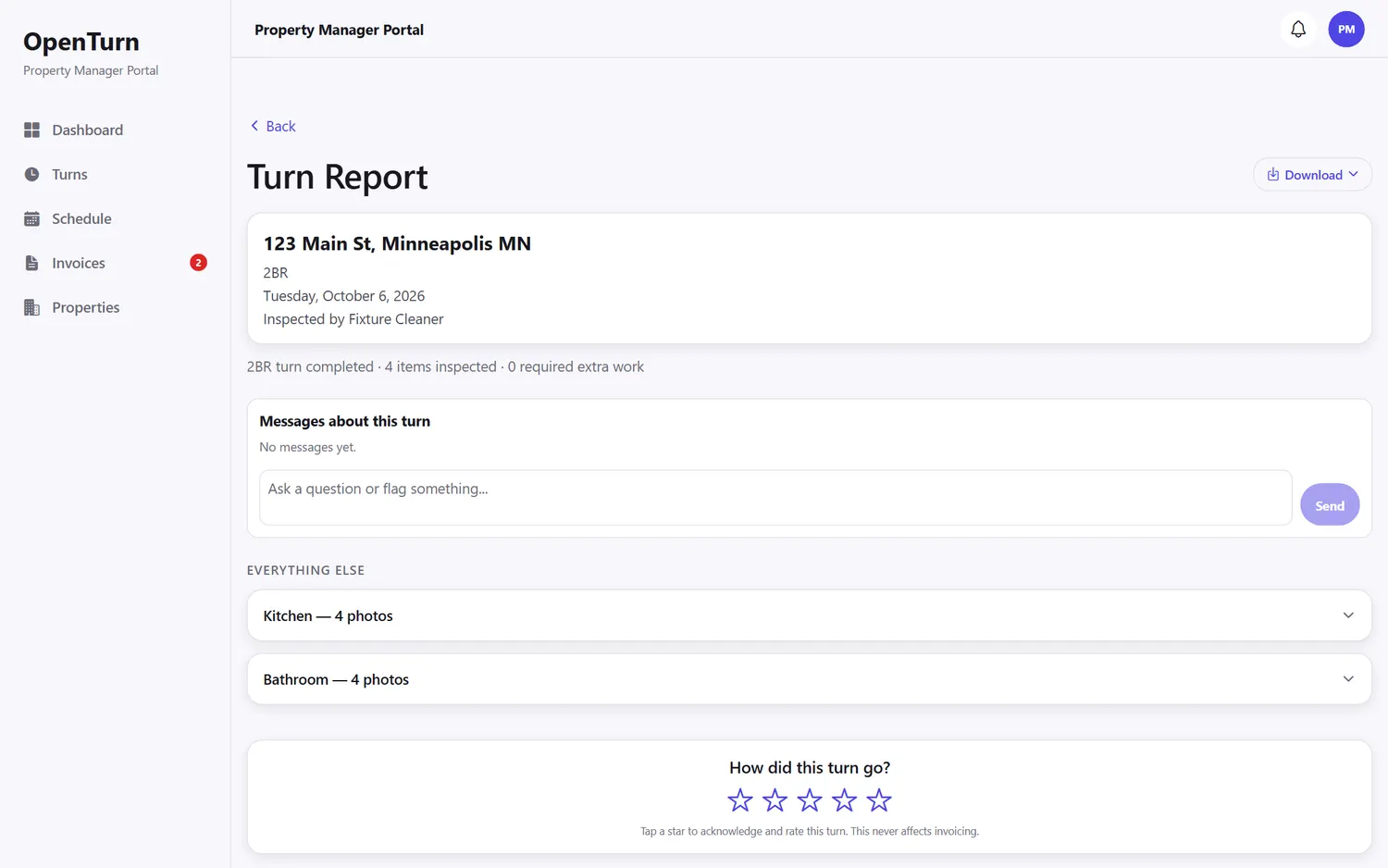
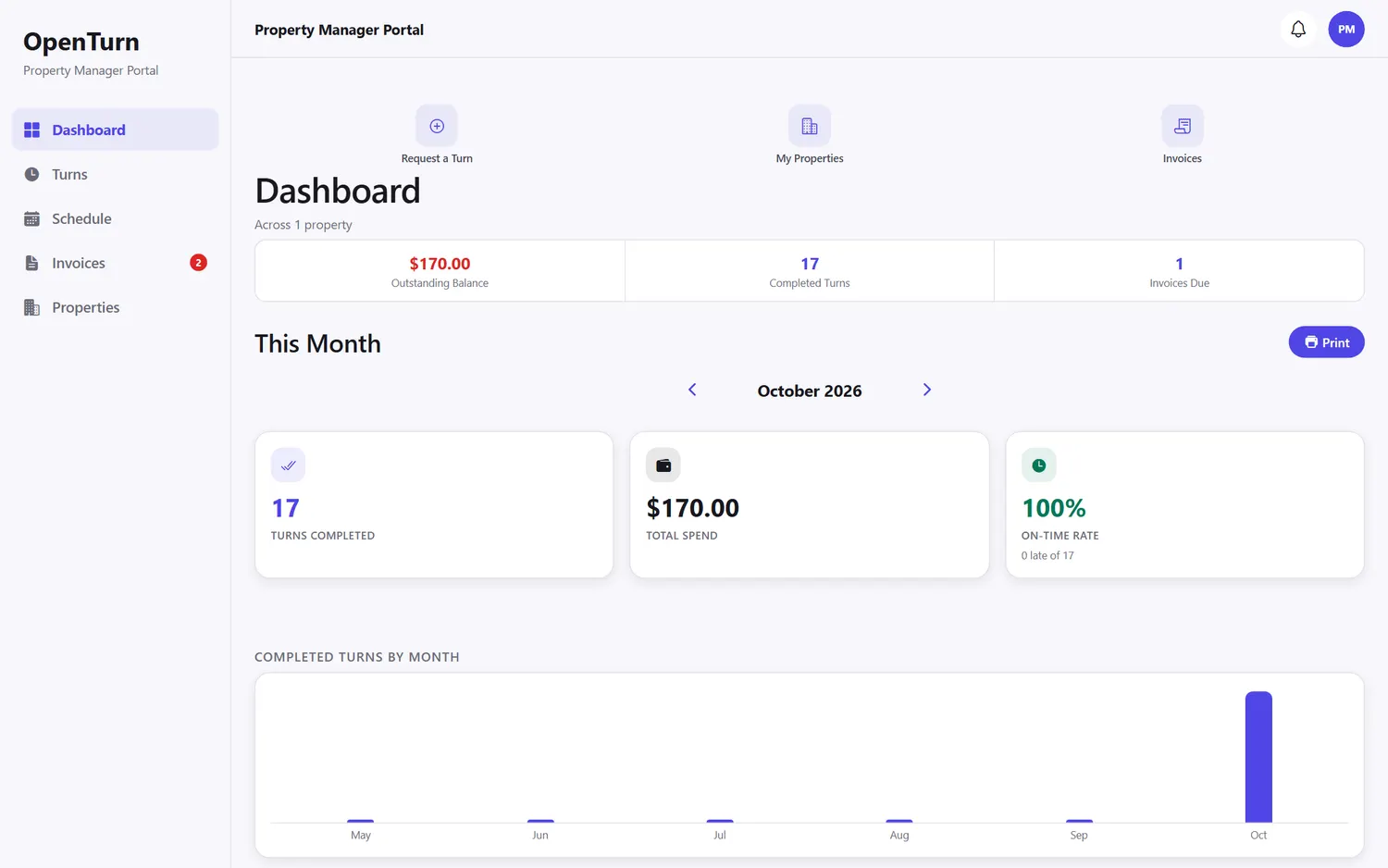
Sample data from a test account.
Who it is for
Built for the whole turn, not just one seat.
Know what happened on every turn without being there.
Read the manager guide- See each turn as it moves from scheduled to in progress to reviewed to invoiced.
- Stop eating costs you cannot prove. Every claim carries its photos.
- See hours and pay for employees and subcontractors in one place, tied to each turn.
- Give each property manager their own free view, so they stop calling you for updates.
Works with
Fits the tools you already use.
- QuickBooksAvailable
Reviewed jobs sync as invoices.
- Google CalendarAvailable
Turns show up on calendars your people already read.
- AppFolioComing
On the list. Not built yet.
Pricing
Free during beta.
Use all of it while we work with our first cleaning companies. Paid plans based on turns per month are coming later. Nothing is billed today, and property managers are free for good.
- Phone app for the crew and web app for the office
- Employees and subcontractors
- Free portal for every property manager
- QuickBooks and Google Calendar
- No credit card
Questions
Plain answers.
What does OpenTurn cost?
It is free during beta. Paid plans based on turns per month are coming later, and nothing is billed today. Property managers are always free, whatever plan a cleaning company is on.
Do my cleaners have to be employees?
No. Employees and subcontractors both use the phone app. You can assign a job to an employee or send an offer to a sub. The photos and the checklist work the same for both.
Does my property manager need to install anything?
No. They get a web portal at portal.openturn.co. They can read turn reports, look at photos, review invoices, message you about a turn, and request a new one.
What if I disagree with a claim?
Every claim goes to a review queue first. You see the before and after photos side by side. You can approve it, approve a different amount, or deny it and leave a note.
What if the signal is bad in a basement unit?
The phone app queues photo uploads, so a weak signal does not cost you a photo. They upload when the connection comes back.
Does it work with QuickBooks and Google Calendar?
Yes to both. Reviewed jobs can sync to QuickBooks as invoices. Turns can show up on Google Calendar. AppFolio is on our list but is not built yet.
How do I get started?
Signup needs an access code for now. If you have one, use the sign up page. If you do not, ask whoever told you about OpenTurn.
Run your next turn with proof.
Add a property, invite your crew, and send the first job.
Already using OpenTurn? Sign in or find a guide.